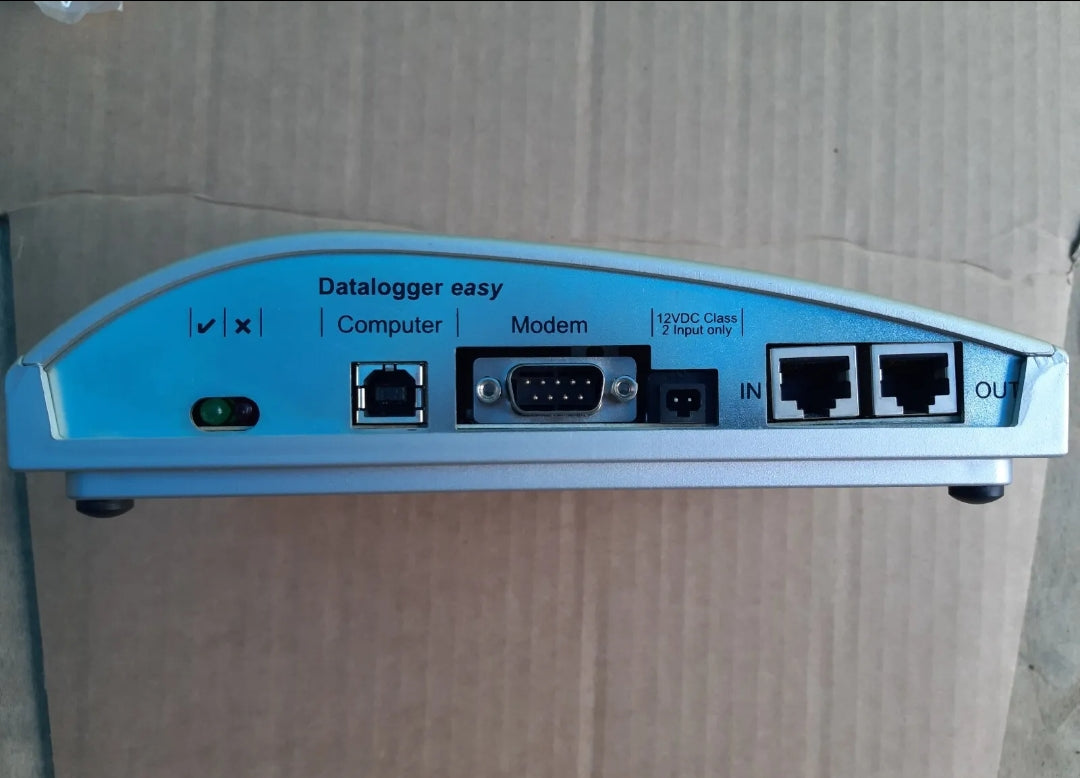
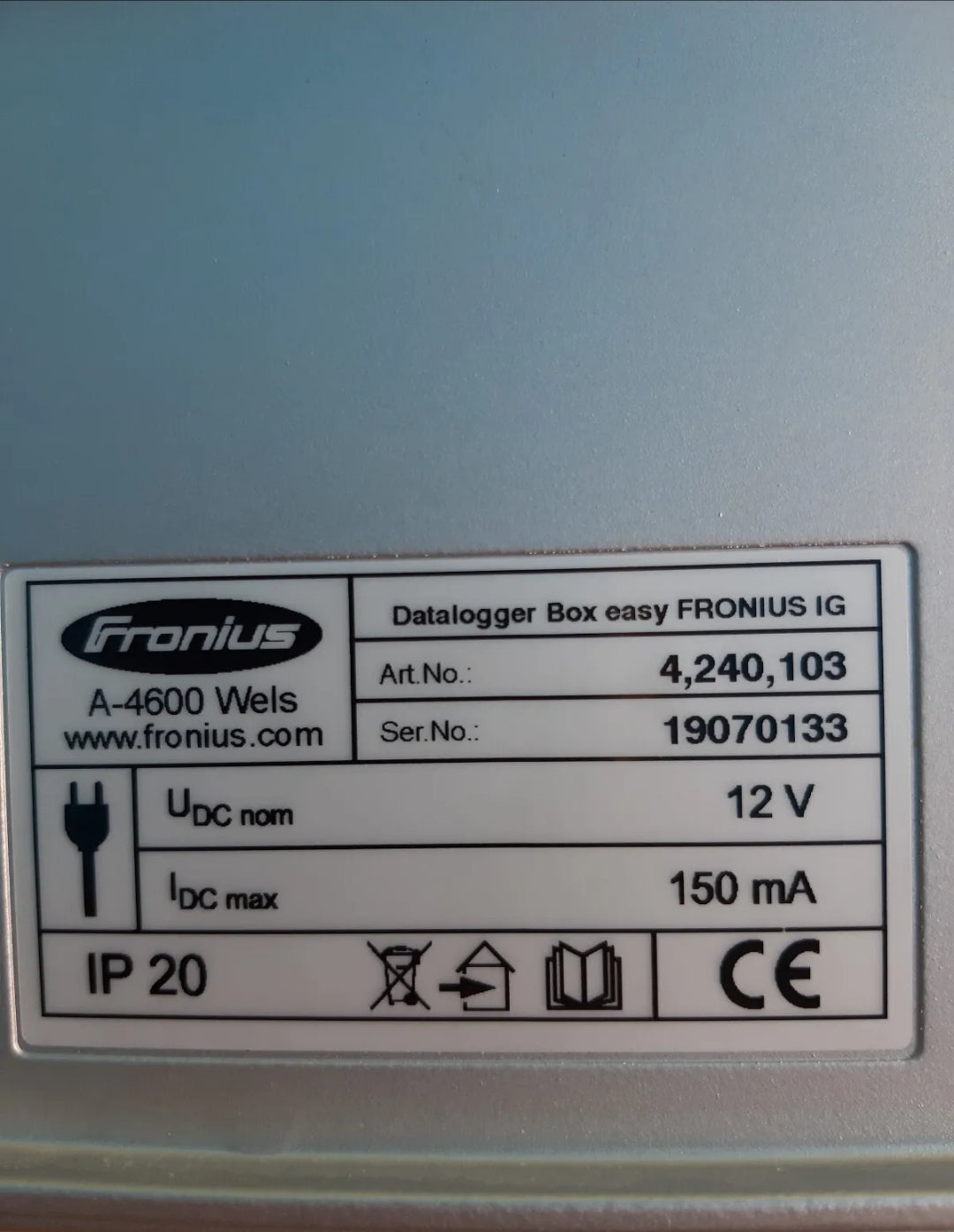
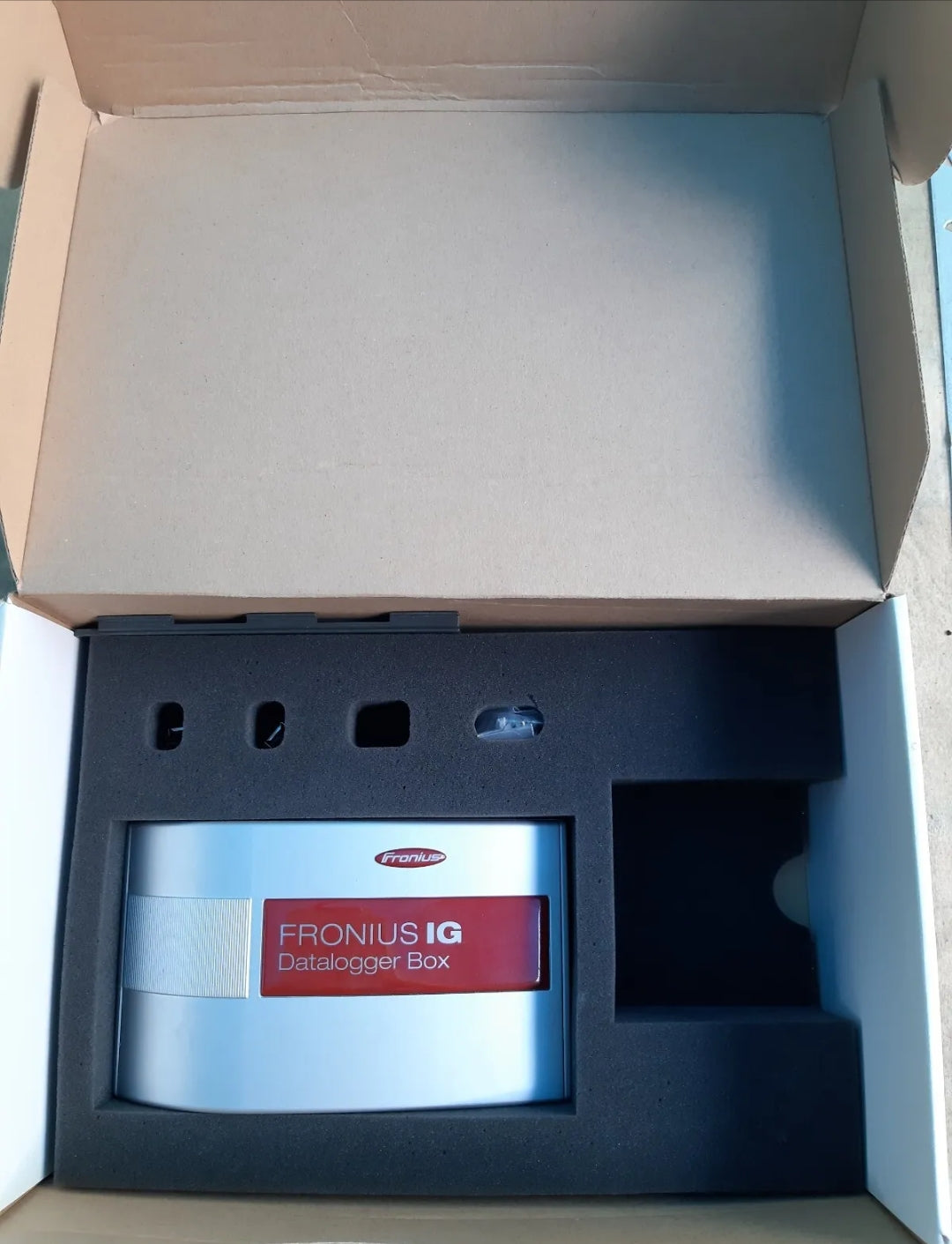
лесно FRONIUS IG 4,240,103 A-4600 Wels фотоволтаична кутия за наблюдение на данни
Съжаляваме, не е в наличност.
Но можем да ви уведомим, когато се върне.
Наличността за получаване на място не можа да се зареди
Discount
|
Spend €500+ |
3% OFF |
|---|---|
|
Spend €3 000+ |
5% OFF |
|
Spend €8 000+ |
10% OFF |
|
Spend €12 000+ |
Custom Quote |
Пазарувайте безопасно
Осигурете вашето пазаруване с различни безопасни и надеждни методи на плащане.
Smooth and stress-free — we handle issues, without bureaucracy.
From setup to questions — we’ve got your back after the sale.
Description
1. Introduction
The Fronius IG Datalogger Box Easy is designed to monitor and record data from a Fronius IG series photovoltaic inverter. It collects electrical parameters, inverter status, and performance data for analysis, storage, and remote monitoring.
Model: 4,240,103 A‑4600
Type: Photovoltaic monitoring datalogger
2. Safety Instructions
⚠️ Important: Always read all safety instructions before installation or operation.
-
Only qualified personnel may install or operate the device.
-
Disconnect all power before connecting or disconnecting cables.
-
Avoid water, dust, or direct sunlight exposure.
-
Use only approved cables and connectors.
-
Do not open the datalogger; internal components contain no user-serviceable parts.
3. Package Contents
-
Datalogger Box Easy 4,240,103 A‑4600
-
RS‑232 or USB cable for PC connection
-
Mounting hardware
-
Quick Start Guide
4. Device Overview
-
Input: Connects to inverter via COM interface (COM card inside inverter).
-
Output: USB or RS‑232 to PC for data download.
-
LED indicators:
-
Power – green when powered
-
Data – flashes during data transfer
-
Error – red if communication fails
-
5. Installation
-
Ensure the inverter has a COM card installed.
-
Mount the datalogger near the inverter using the supplied screws.
-
Connect the datalogger to the COM card using the supplied cable.
-
Connect the datalogger to a PC via USB or RS‑232 if local monitoring is required.
-
Power up the inverter; the datalogger will automatically start recording data.
6. Operation
6.1 Data Collection
-
The datalogger continuously records inverter output parameters, including:
-
AC/DC voltage and current
-
Energy production (kWh)
-
Power (W)
-
Operational status and error codes
-
6.2 Data Download
-
Connect the datalogger to a PC.
-
Use Fronius IG.access software or compatible monitoring software.
-
Download recorded data and save for analysis or archiving.
6.3 Remote Monitoring (Optional)
-
If connected to a modem or network interface, the datalogger can transmit data to a central monitoring server.
-
Ensure network configuration matches your service provider settings.
7. Maintenance
-
Clean the enclosure with a dry, soft cloth.
-
Check cables and connectors periodically.
-
Inspect LED indicators; persistent error light requires professional service.
8. Troubleshooting
| Symptom | Possible Cause | Solution |
|---|---|---|
| Power LED off | No power from COM card | Check inverter COM card and cable connection |
| Data LED not flashing | No communication with inverter | Verify cable connection, restart inverter |
| Error LED on | Communication failure or internal fault | Reconnect datalogger, consult Fronius service if persists |
9. Technical Data
-
Power supply: via COM card (12 V DC typical)
-
Communication: RS‑232 / USB
-
Temperature range: −20 °C … +60 °C
-
Storage capacity: depends on monitoring interval (typical 1–5 min)
-
Dimensions: 120 × 80 × 40 mm (approx.)
10. Contact & Support
-
Official support: Fronius International GmbH
-
Website: https://www.fronius.com
-
Technical support: support@fronius.com

Пазарувайте безопасно
В нашия магазин Shopify даваме приоритет на вашата безопасност и сигурност. Ето как гарантираме сигурно пазаруване:
1. Сигурни транзакции: Ние използваме разширено криптиране, за да защитим вашата лична информация и информация за плащане, като гарантираме, че тя е безопасно предадена и защитена.
2. Доверени шлюзове за плащане: Нашият магазин се интегрира с доверени шлюзове за плащане, като гарантира, че вашите транзакции се обработват сигурно и ефективно.
3. Поверителност на данните: Вашата поверителност е наш основен приоритет. Ние следваме стриктни политики за защита на данните, за да запазим поверителността и сигурността на вашата лична информация.
4. Сигурна платформа: Shopify предоставя стабилни функции за сигурност и непрекъснато наблюдение срещу уязвимости, като гарантира безопасна среда за пазаруване.
5. Проверени търговци: Ние сме проверен търговец на Shopify, ангажиран с предоставянето на автентични и висококачествени продукти.
6. Прозрачни политики: Нашите ясни политики за връщане, възстановяване на средства и доставка осигуряват спокойствие, знаейки, че стоим зад нашите продукти.
7. Поддръжка на клиенти: Нашият специален екип за поддръжка на клиенти е готов да ви помогне с всякакви притеснения или въпроси, които може да имате.
Пазарувайте уверено в нашия магазин Shopify, където вашата безопасност и удовлетворение са нашите основни приоритети.
🔒 Warranty Terms and Conditions
By placing an order, you acknowledge and agree to the following warranty policy:
✅ 1-Year Warranty for Inverters
- All solar inverter units come with a 1-year warranty from the date of purchase.
- Each unit is fully inspected and tested before shipment to ensure proper functionality.
🔧 What the Warranty Covers
- The warranty covers defects and malfunctions that occur during standard operation.
- This includes the inverter as a whole and its internal components and circuit boards.
- If any issue arises within the warranty period, we will repair or replace the defective part or product, in line with our warranty policy.
🛠 Warranty for Separate Components
- For individual internal circuit boards, components, and repair kits ordered separately, a 6-month warranty applies from the date of purchase.
- Within this period, any functional failure will result in a free replacement as per our warranty terms.
⚠️ What the Warranty Does Not Cover
- The warranty does not apply in the following cases
- Improper installation by the customer or third parties
- Network overvoltage
- Lightning strikes or other environmental/external damage
❗ Please ensure correct installation by a qualified technician. Improper connection or handling voids the warranty.